ShopDreamUp AI ArtDreamUp
Deviation Actions


Suggested Deviants


Suggested Collections


You Might Like…



Description
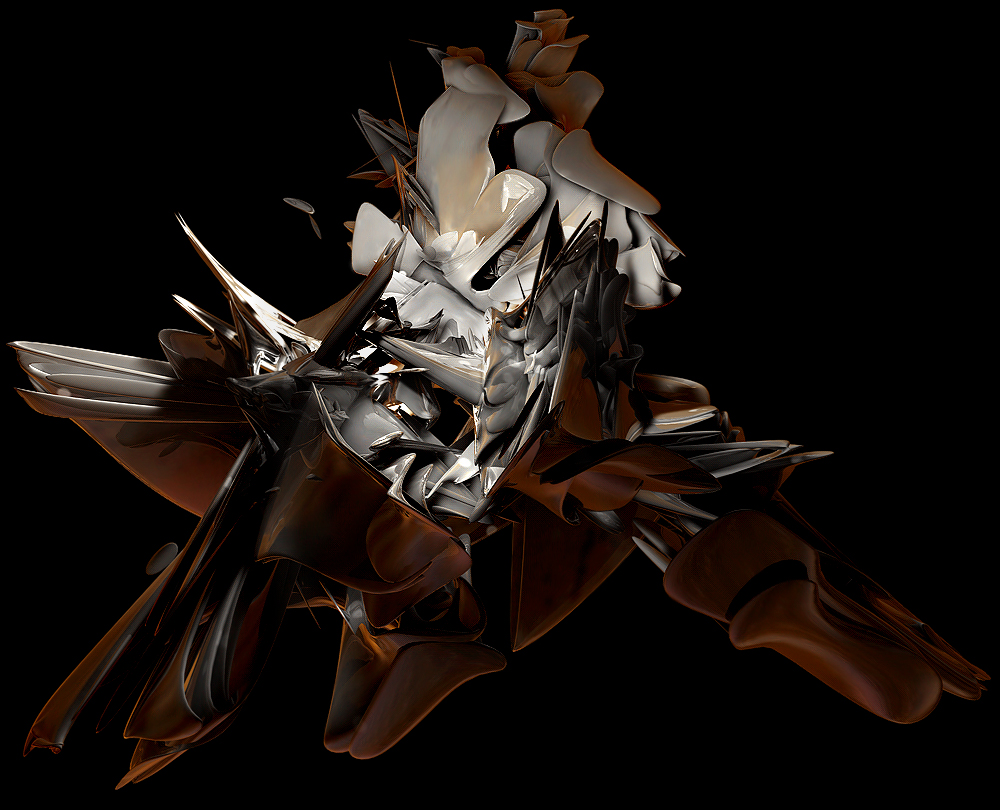
Not really though. just a fun one. It goes over HDRI, Radiosity, Caustics with photon lighintg, alot of features that you probably never heard of or didnt know how to use in render settings. And just sexier renders. 
Its now 4 am. I started on this at 9pm. taking breaks while c4d rendered the preview renders (took awhile I so I just went to play madden against my bro in between xD)
What you see in the preview is the final render result.
IN the ZIP file to download includes. images, HTML file.and the C4D to this render incase you missed something, wanna experiment or wahtever. just. Dont use that in any of your images. Its for a reference. Un less you ask me of course. I am always WILLING!
Greatest tut I have ever written. lies here.
You cant open the HTML file directly from the zip file, or the images wont show up. rigth-click and click on extract here. it will extraxct to where it is (e.g. desktop)
Then open it from the folder. Folders name should be "C4DTUT".
Enjoy. and PLEASE FAV. I love you.
EDIT: try not to use the caustics settings i did. I was just experimenting for tutorials sake.
EDIT (again k.) : it has come to my attention i left out something. about the DOF (depth of field) post effect. you must use a camera with blurring ok.
Its now 4 am. I started on this at 9pm. taking breaks while c4d rendered the preview renders (took awhile I so I just went to play madden against my bro in between xD)
What you see in the preview is the final render result.
IN the ZIP file to download includes. images, HTML file.and the C4D to this render incase you missed something, wanna experiment or wahtever. just. Dont use that in any of your images. Its for a reference. Un less you ask me of course. I am always WILLING!
Greatest tut I have ever written. lies here.
You cant open the HTML file directly from the zip file, or the images wont show up. rigth-click and click on extract here. it will extraxct to where it is (e.g. desktop)
Then open it from the folder. Folders name should be "C4DTUT".
Enjoy. and PLEASE FAV. I love you.
EDIT: try not to use the caustics settings i did. I was just experimenting for tutorials sake.
EDIT (again k.) : it has come to my attention i left out something. about the DOF (depth of field) post effect. you must use a camera with blurring ok.
© 2006 - 2024 Brandonc1
Comments109
Join the community to add your comment. Already a deviant? Log In

You. Are. Awesome! Wow! Thanks